
15 Best SEO Tools For Beginners | Why and When To Use
If you’re starting your journey in digital marketing or learning SEO, having the right tools can make all the difference. The best SEO tools for beginners help you research keywords, analyze competitors, and optimize your content for higher rankings.
Using SEO tools will help understand how Google works and how to attract organic traffic easily. From keyword research to site audits, SEO tools make learning faster and more effective — even if you’re just getting started.
Why SEO Tools Are Important
SEO tools are essential for improving your website’s visibility and performance. They help you understand what your audience is searching for, how your content performs, and what you can do to improve.
Why SEO tools matter:
- Keyword Insights: Tools like Google Keyword Planner and Ubersuggest help you find what people are searching for in your niche.
- Performance Tracking: Platforms such as Google Search Console and Ahrefs let you monitor rankings and fix website issues.
- Competitor Analysis: Discover what’s working for others and apply similar strategies to your site.
Using the best SEO tools not only saves time but also gives you a clearer roadmap to grow your digital presence effectively.
Free vs. Paid SEO Tools
When starting as a beginner, it’s smart to begin with free SEO tools. Platforms like Google Keyword Planner, Google Analytics, and Ahrefs Webmaster Tools. It offer powerful features at no cost — perfect for learning the basics of keyword research, traffic analysis, and SEO performance.
As your skills grow or you start managing client projects, you can upgrade to paid SEO tools like SEMrush, Ahrefs, or Moz Pro. These advanced tools offer deeper insights, competitor tracking, and detailed keyword data.
Pro Tip: Start with free tools to build your foundation. Once you’re comfortable and ready to scale, invest in paid tools to unlock professional-level features.
Top15 Best SEO Tools For Beginners
Search Engine Optimization (SEO) is the backbone of digital marketing. It ensures your website ranks higher on search engines, drives organic traffic, and boosts visibility. There are countless SEO tools available today. Each serving a unique purpose — from keyword research and backlink analysis to content optimization and site audits. Below is a detailed overview of the most popular and essential SEO tools every digital marketer should know.
1. SEMrush
Semrush is an all-in-one SEO suite trusted by professionals for keyword research, competitor analysis, and site auditing. Its front page dashboard offers a clear overview of your domain’s performance, including organic traffic, backlinks, and keyword rankings.
Semrush is widely used for identifying content gaps, tracking keyword positions, discovering profitable keyword opportunities and especially important for competitive research. For marketers managing multiple clients, it is a necessary tool for both on-page and off-page SEO strategies.
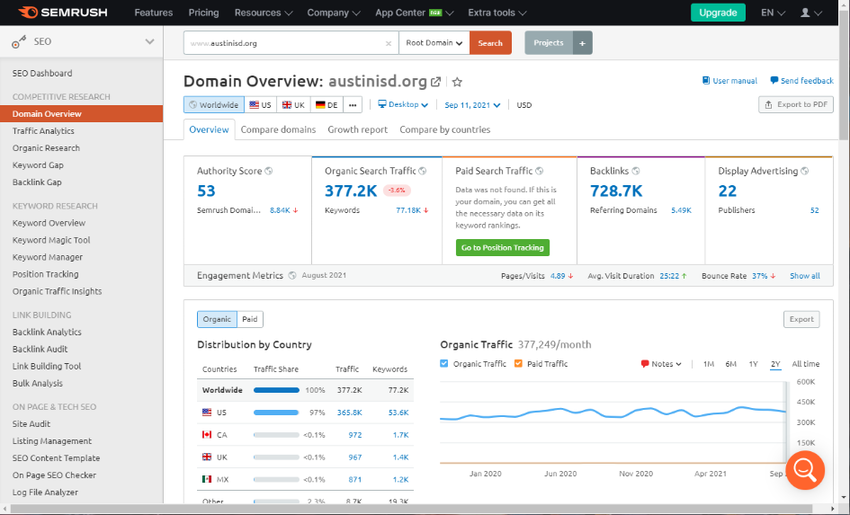
SEMrush Dashboard Highlights:
- The Project shows key metrics like organic traffic, keyword ranking changes, and backlinks at a glance.
- The Traffic & Market / Daily Trends dashboards show visual widgets that tell a story of web performance, traffic sources, device types, and country filters.
- Integration of external data (e.g., connecting to Google Analytics or Google Search Console) so you can view multiple data sources in one place.
Use & Purpose: SEMrush is an all-in-one SEO suite for keyword research, competitor analysis, link building, and site auditing.
Why use it : Great for beginners because you can quickly see your site health, how you’re ranking against competitors, and where to focus (e.g., technical issues, new keywords).
When to use it : When you want a “big picture” and also dive into specific tools (keyword magic, rank tracking, backlink audits).
2. Google Analytics
Google Analytics is a free tool that provides detailed insights into website traffic, user behavior, and conversions. On its front page, you can view visitor numbers, bounce rate, session duration, and traffic sources.
It’s primarily used to measure the effectiveness of SEO campaigns, monitor audience engagement, and understand what pages drive the most conversions. Google Analytics is essential for every website owner because it helps you make data-driven decisions and measure the ROI of SEO and marketing activities.
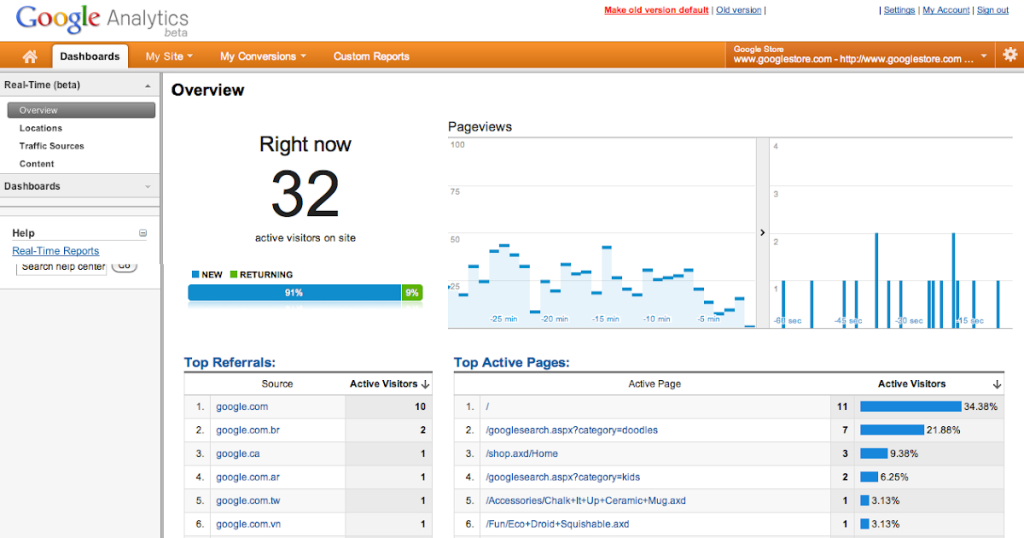
Google Analytic Dashboard Highlights:
- The default dashboard shows metrics like users, sessions, engagement time, and traffic sources, which can be customized with widgets (metrics, pie charts, tables, timelines).
- Real-time view to see how many users are active right now, what pages they are viewing, and from which countries/devices.
- You can build multiple dashboards to view different KPIs (for SEO, content, conversion).
Use & Purpose : Google Analytics is used to track website traffic, user behavior, conversions, and to measure how your audience interacts with your site.
Why use it : Essential for understanding what’s happening on your site — what content users like, which traffic sources work, how long they stay, etc.
When to use it :Use it continuously to monitor performance, set benchmarks, and guide improvements (content, UX, traffic channels).
3. Ahrefs
Ahrefs is another industry-leading SEO tool known for its powerful backlink analysis and keyword explorer. The front page dashboard shows your domain rating, total backlinks, referring domains, and organic traffic trends.
Ahrefs is widely used to analyze competitors’ link profiles, identify broken links, and discover link-building opportunities. It’s an indispensable tool for off-page SEO, as backlinks remain one of the top-ranking factors. Ahrefs is also excellent for content gap analysis, helping marketers find what keywords competitors rank for that they don’t.
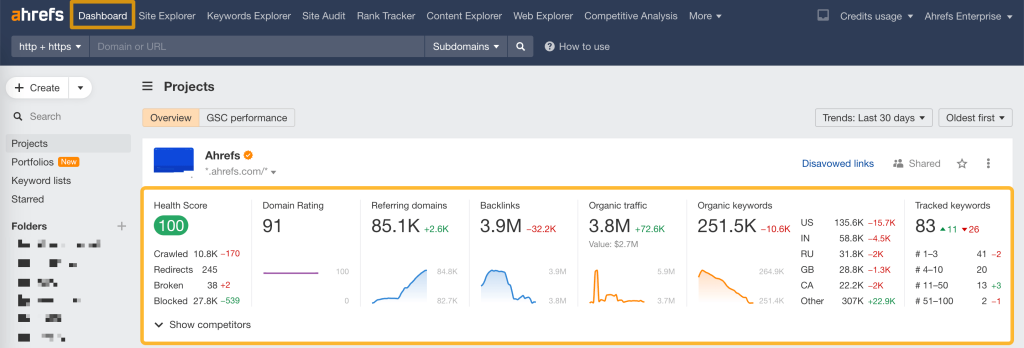
Ahrefs Dashboard Highlights:
- The Overview dashboard shows your project metrics: organic traffic estimate, number of organic keywords, backlinks & referring domains.
- You can monitor multiple URLs/domains by grouping them into portfolios and view aggregated metrics in one place.
- Graphs show trends for organic keywords, backlink growth, and you can dig into specifics (traffic by country, pages that bring traffic).
Use & Purpose : Ahrefs is strong in competitor analysis, backlink profile insights, keyword research, and site auditing.
Why use it : Very useful when you want to see how your site stacks against competitors, find link opportunities, and track keyword rankings.
When to use it : Use when you’re focusing on off-page SEO (links), competitor gap analysis, and tracking organic keyword growth.
4. Google Search Console
Google Search Console (GSC) is a free Google tool that helps monitor your website’s search performance and indexing status. The front dashboard displays your total clicks, impressions, average CTR, and keyword positions. It’s essential for diagnosing crawl errors, submitting sitemaps, and ensuring your site is properly indexed.
GSC also provides valuable keyword insights straight from Google, helping you understand what queries drive traffic. It’s a must-have for every site owner to track technical SEO and ensure smooth site performance.
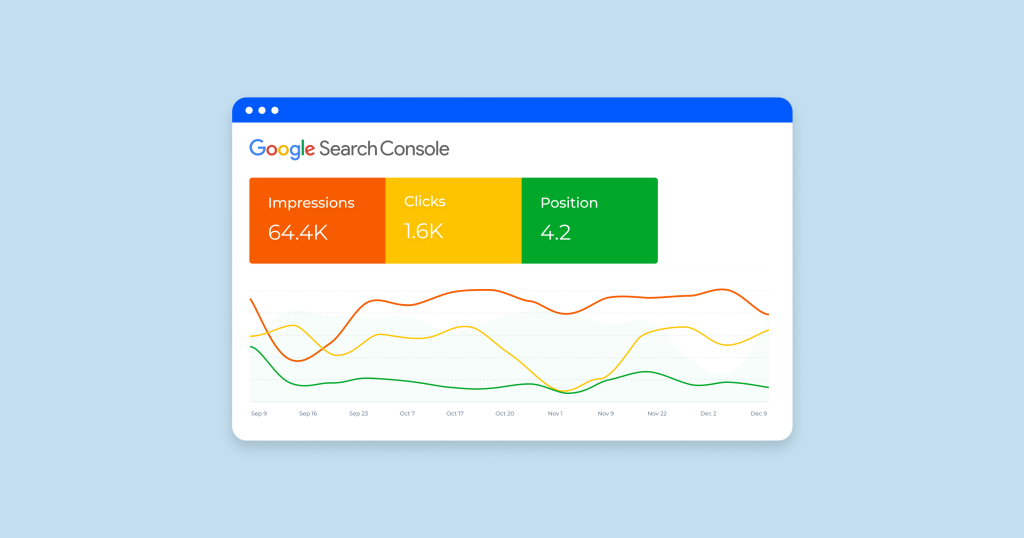
Google Search Console Dashboard Highlights:
- The main “Performance” dashboard shows total clicks, total impressions, average CTR (click-through rate), and average position for your site in Google Search.
- The “Index Coverage” dashboard shows which pages are indexed, which have errors, warnings, or are excluded (and why).
Use & Purpose : GSC lets you monitor how Google sees your site: what queries you rank for, how your pages are indexed, and technical issues (crawl errors, mobile usability).
Why use it : Important because it shows direct data from Google’s search system — what search queries bring traffic, indexing status, and can help diagnose technical SEO issues.
When to use it : Use early and often — from the site’s launch and continuously for monitoring indexing, discovering search queries, and technical health.
5. AnswerThe Public:
AnswerThePublic is a content idea and keyword research tool that visualizes search questions and queries people ask online. The front page presents a search bar where you can type any keyword and generate questions, comparisons, and prepositions that users are searching for. It’s perfect for content marketing, allowing creators to find trending topics and user intent. AnswerThePublic is crucial for understanding audience interests and creating SEO-optimized content that truly answers search intent.
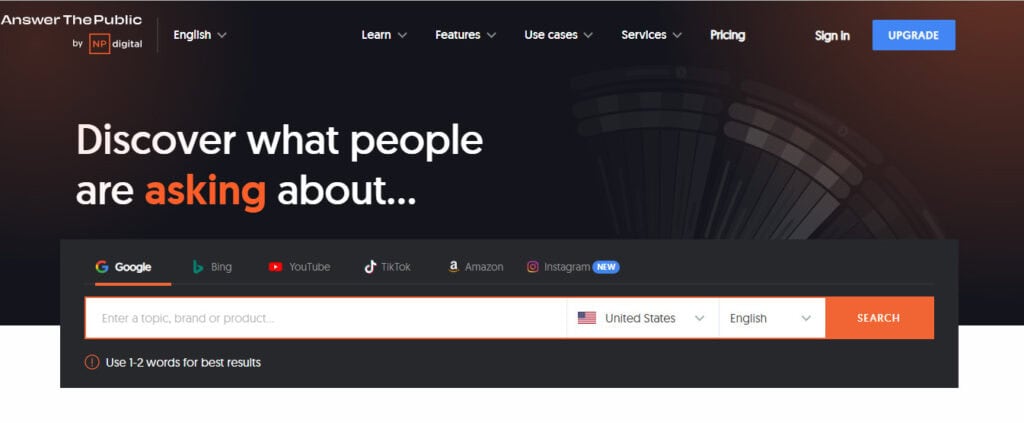
Answer The Public Dashboard Highlights:
- The landing interface where you type in a keyword and see a visual map of questions, prepositions, alphabetical (what people ask) around that keyword.
- Graphical tree or circle visualization of search intents/questions helps you identify content ideas.
Use & Purpose : Answer The Public is a content/keyword research tool oriented around user questions and search intent — what people are asking in search engines.
Why use it : Great for beginners because it gives intuitive insight into what real users ask, which helps you create content that answers those questions (strong for SEO).
When to use it : Before you write content: use it to generate ideas, map user intents, find long-tail keyword questions, or topic clusters.
6. Screaming Frog
Screaming Frog SEO Spider is a website crawling tool that audits your site for technical issues. The home dashboard lets you enter your domain and scan all URLs for broken links, missing metadata, duplicate content, and redirect chains.
It’s mainly used for technical SEO audits, helping you identify and fix issues that can hurt rankings. Screaming Frog is essential for improving site health, crawlability, and overall performance.
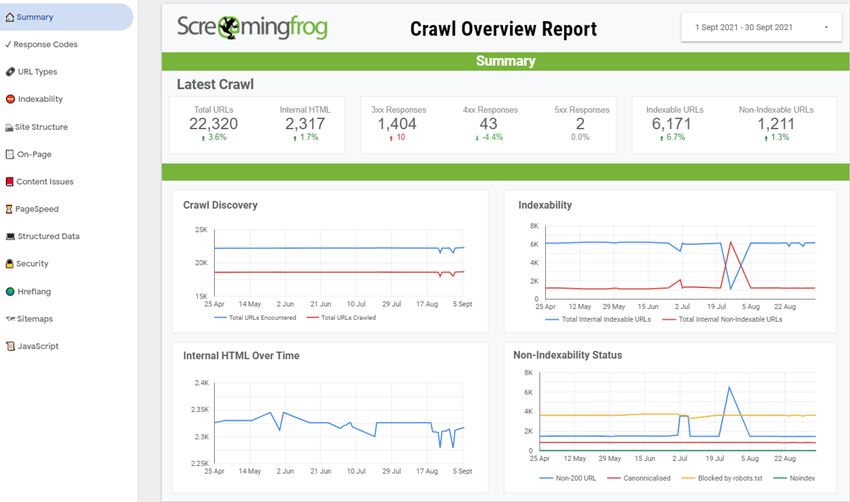
Screaming Frog Dashboard Highlights:
- The main interface shows a crawl in progress: URLs listed with columns like status code, title, meta description, canonical, etc., SEO-galaxy.
- Tabs at the top (Internal, External, Protocol, Response Codes, Redirects, Canonicals) let you switch views of key technical issues.
Use & Purpose : Screaming Frog is a website crawler focused on technical SEO — it simulates search engine crawling to pick up errors, broken links, duplicate content, redirect chains, and metadata issues.
Why use it : Technical SEO is often overlooked by beginners; this tool helps you get a detailed audit of your site’s technical health.
When to use it : Use when launching or relaunching a site, after major changes, or periodically to audit and fix technical issues.
7. Moz
Moz Pro is a versatile SEO platform offering tools for keyword research, link analysis, and site audits. The front page features your domain authority (DA), page authority (PA), and keyword rankings. Moz’s easy-to-understand metrics make it beginner-friendly.
It’s often used for tracking keyword positions and evaluating link quality. Moz’s “Keyword Explorer” and “Link Explorer” tools are extremely useful for improving domain strength and targeting the right search terms.
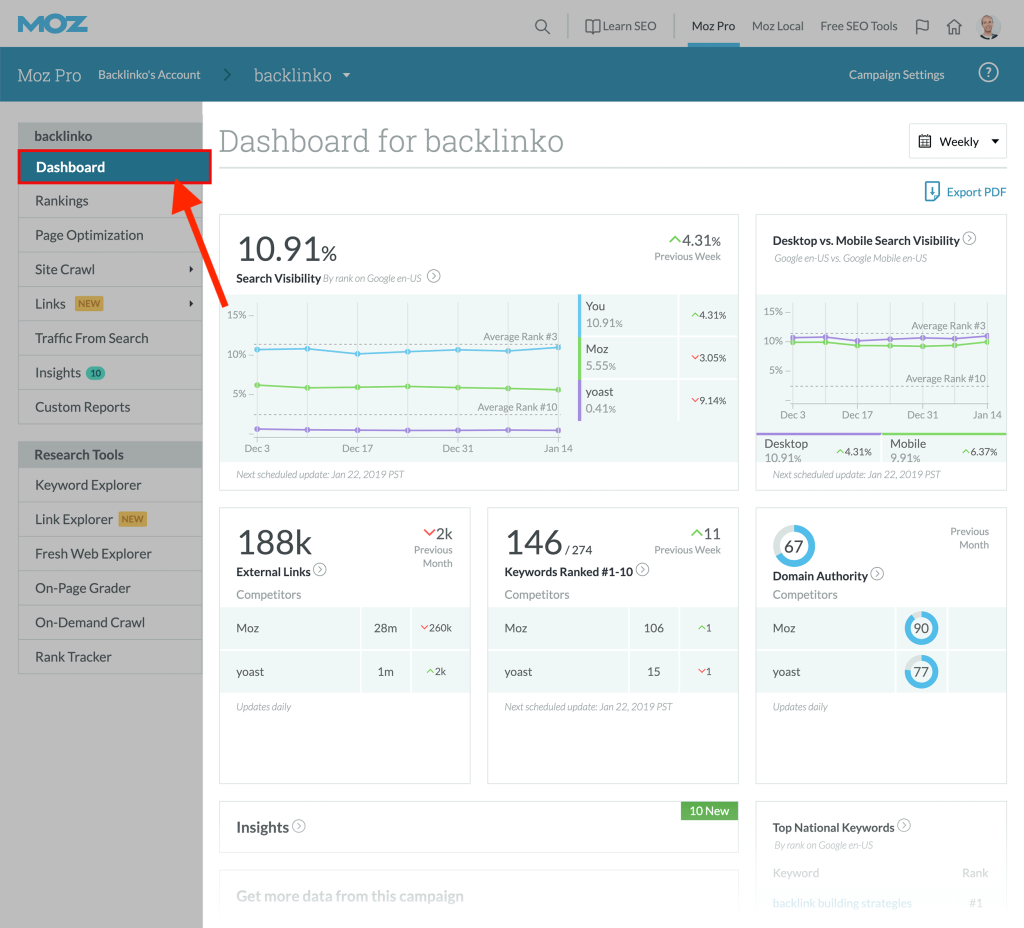
Moz Dashboard Highlights:
- The Campaign Dashboard presents a high-level view: Search Visibility score against competitors, Keywords tracked, Desktop vs. Mobile visibility, links & site health.
- Link metrics module: Domain Authority, Page Authority, linking domains, and top pages by authority.
Use & Purpose : Moz Pro is an all-in-one SEO toolkit focusing on keyword tracking, link analysis, and site audits — but with a more beginner-friendly interface.
Why use it : For those who prefer simpler metrics and user-friendly displays of authority, visibility, and link health.
When to use it : Use when you want simpler dashboards and clear metrics for tracking progress over time and comparing to competitors.
8. SpyFu
SpyFu focuses on competitive keywords and PPC analysis. On the front dashboard, you can see your competitors’ top organic and paid keywords, their ad campaigns, and estimated monthly traffic. SpyFu is widely used for discovering profitable keywords and monitoring competitor ad spending. It’s a go-to tool for marketers who want to align their SEO and PPC strategies and understand their market competition.
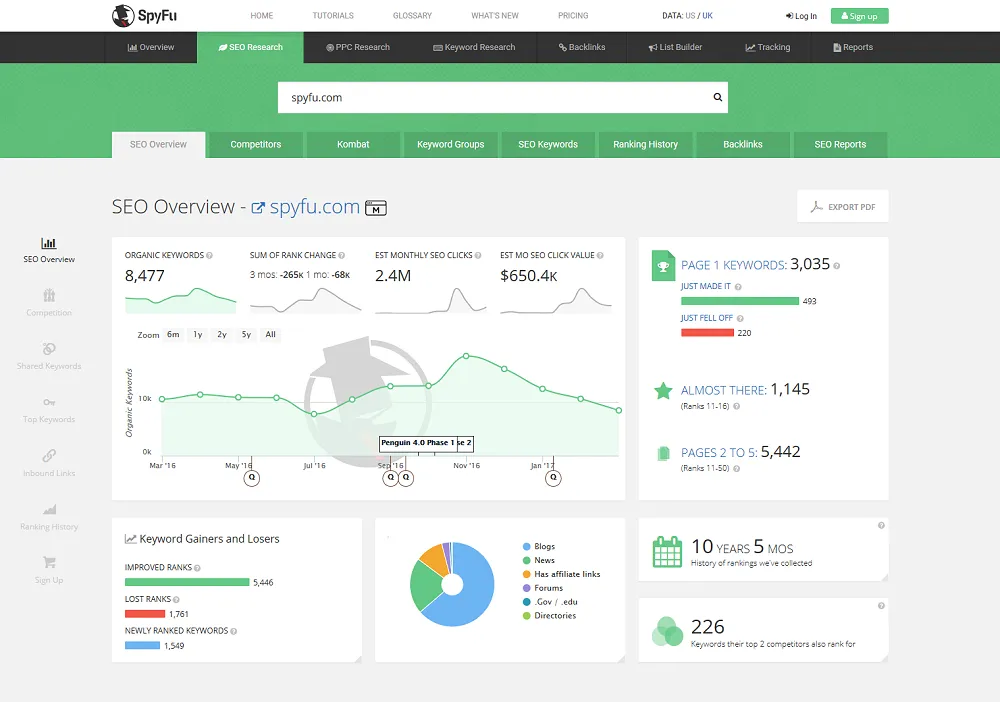
SpyFu Dashboard Highlights:
- SpyFu’s main dashboard shows competitor domains, lists of organic & paid keywords competitors are ranking for, keyword committees, ad history, and domain overlap.
- Visibility graphs for both SEO and PPC, letting you compare your site vs competitor’s performance in search & paid search.
Use & Purpose : SpyFu is great for competitive intelligence: seeing exactly which keywords your competitors are using (both organic and paid) and uncovering gaps in your strategy.
Why use it : A good choice if you want to align SEO and PPC, or if you’re in a competitive niche and want to copy competitor strategies.
When to use it : When planning your keyword list, running paid + organic campaigns, or performing competitor keyword research.
9. Chat GPT
ChatGPT, powered by OpenAI, is increasingly being used as an SEO content assistant. Its interface allows users to generate keyword-rich blog posts, meta descriptions, FAQs, and content ideas. It’s particularly valuable for content creation, optimization, and idea generation.
While ChatGPT doesn’t directly analyze SEO metrics, it helps streamline content production, making it a modern and creative tool for SEO writers and marketers.
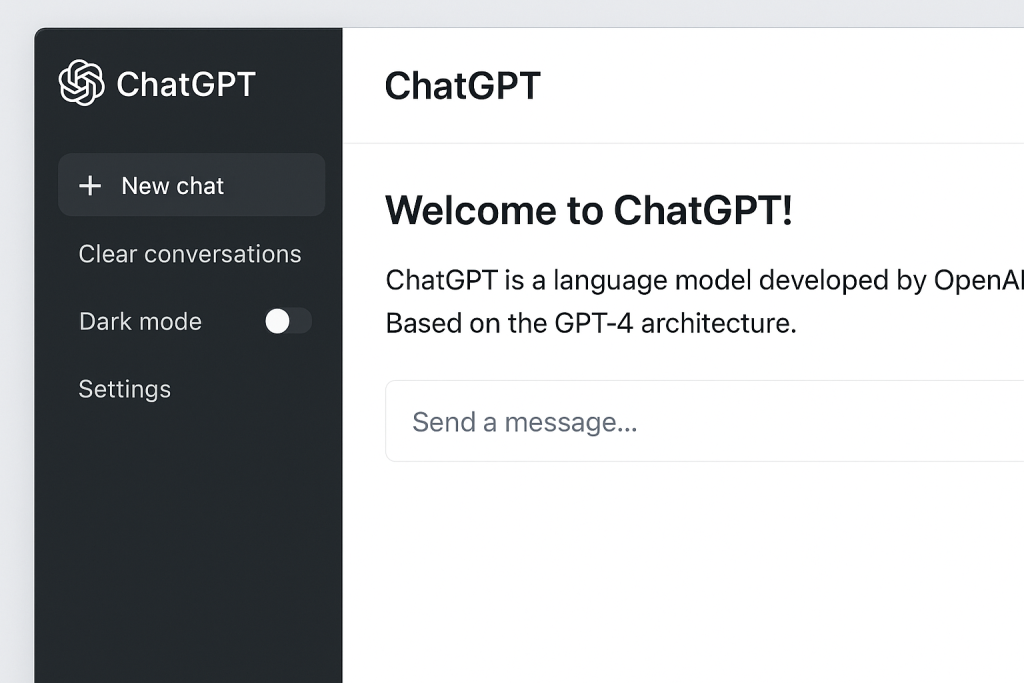
ChatGPT Dashboard Highlights:
While ChatGPT isn’t a conventional SEO dashboard tool, the interface (chat window) can be used to generate keyword ideas, content outlines, meta descriptions, and FAQs.
Use & Purpose : ChatGPT serves as a content assistant: you can ask it to help you generate SEO-friendly content, brainstorm keywords/questions, and optimize writing for search intent.
Why use it : Especially helpful for beginners who need help crafting content, meta descriptions, or topic ideas where they may not have the experience.
When to use it : Use in the content planning phase: after your keyword research and before writing your pieces. It complements the technical SEO tools.
10. Bing Webmaster Tools:
Bing Webmaster Tools is Microsoft’s counterpart to Google Search Console. The front dashboard displays site performance, crawl reports, and keyword rankings specific to Bing search. It’s crucial for optimizing your site for Bing and Yahoo search engines.
Bing Webmaster Tools also provides insights into backlinks, keyword research, and indexing — making it a necessary addition for a complete SEO strategy beyond Google.
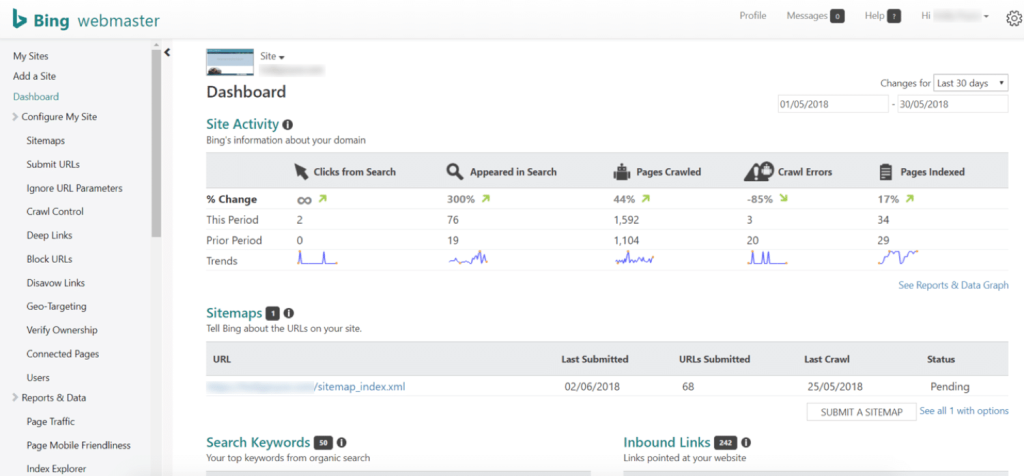
Dashboard Highlights Bing Webmaster Tools:
- The dashboard shows search performance on Bing: clicks, impressions, keywords, ranking distribution, and site scan status.
- Indexation & crawl data: how many pages are submitted, indexed, blocked; site scan for SEO issues specific to Bing.
Use & Purpose : Bing Webmaster Tools is Microsoft’s equivalent to Google Search Console — it helps ensure your site is optimized for Bing/Yahoo search and provides backlink, keyword, and indexation data for Bing.
Why use it : Even though Google dominates search, a portion of traffic may come from Bing/Yahoo; using this tool ensures you capture that traffic and don’t miss opportunities.
When to use it : Use in parallel with Google Search Console — good habit if you want comprehensive search engine coverage.
11. PageSpeed Insights
Google PageSpeed Insights analyzes your website’s loading speed and performance. The home page lets you input a URL and get performance scores for both desktop and mobile versions.
This tool is essential for technical SEO, as page speed is a direct ranking factor. It also provides suggestions to optimize images, scripts, and server response times. Improving your score can significantly enhance user experience and SEO performance.
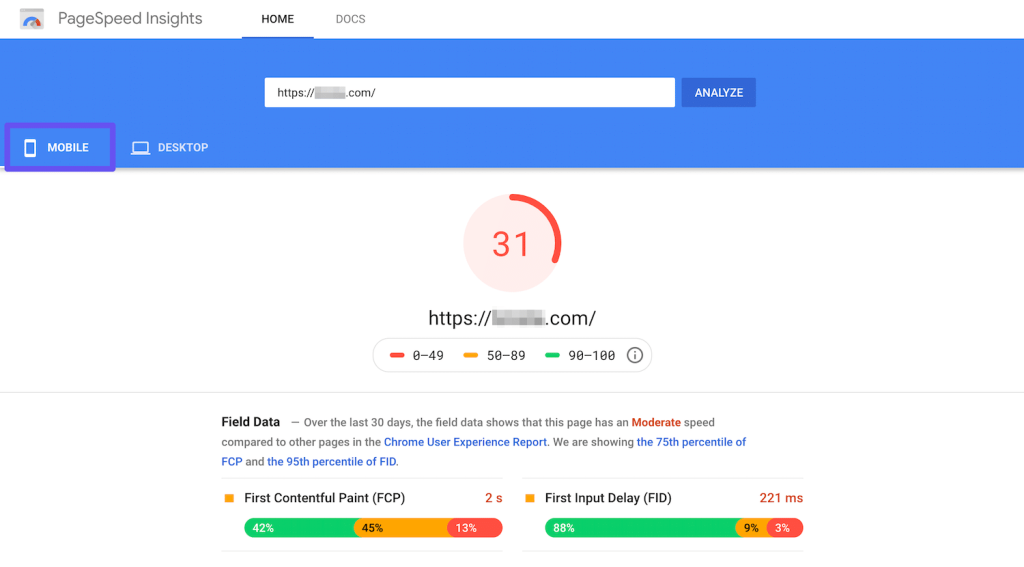
PageSpeed Insights Dashboard Highlights:
- After you enter a URL, the dashboard shows performance scores for mobile and desktop, with a breakdown of what is causing slow speeds (e.g., image optimization, server response).
- Suggestions section: actionable items like “Eliminate render-blocking resources”, “Efficiently encode images”, “Reduce unused JavaScript”.
Use & Purpose : PageSpeed Insights is a technical performance tool focused on page load speed and user experience, which is now a ranking factor in search engines.
Why use it : Because performance affects user experience and SEO (slow sites lose traffic, have a higher bounce rate). Even for beginners, it’s easy to run a test and see improvement ideas.
When to use it : When auditing your site’s technical performance, especially mobile load speed, or after launching major changes or new content/templates/themes.
12. Rank Math
Rank Math is a popular WordPress SEO plugin that simplifies on-page optimization. Its dashboard inside WordPress shows SEO scores for each page and post.
It helps with adding meta titles, descriptions, schema markup, and XML sitemaps. Rank Math is especially useful for bloggers and small businesses who want an easy way to manage SEO within their WordPress site. It’s a necessary tool for maintaining good on-page SEO health.
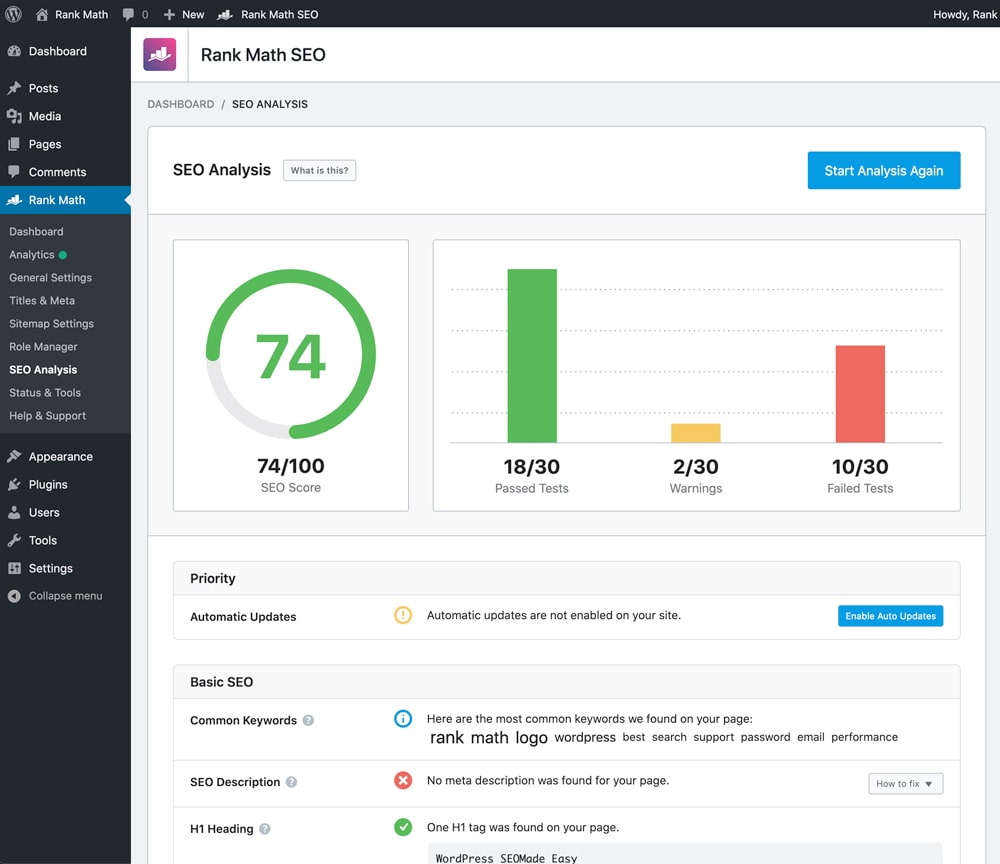
Rank Math Dashboard Highlights:
- Within WordPress, Rank Math shows an SEO score for each post/page, suggestions for improvement (focus keyword, meta title, meta description, readability, schema markup).
Site analytics module in dashboard: key metrics like clicks, impressions, and can integrate with Google Search Console.
Use & Purpose:
Rank Math is a WordPress plugin that helps you optimize on-page SEO easily. It is ideal for bloggers and small businesses using WordPress.
Why use it:
It simplifies for beginners who use WordPress SEO tasks. You don’t need separate tools for meta tags, schema, sitemaps — Rank Math offers these within your WordPress dashboard.
When to use it:
When publishing content, it helps optimize each page and post. Also useful for small site setup/ongoing SEO maintenance.
13. Surfer SEO
Surfer SEO focuses on content optimization based on data-driven insights. The front interface displays content scores, keyword density, and competitor averages. It’s mainly used to optimize blog posts and landing pages to meet Google’s ranking algorithms.
Surfer SEO analyzes top-ranking pages and suggests ideal word count, headings, and keyword use. It’s a must-have for content creators who want to rank higher with well-optimized writing.

Surfer SEO Dashboard Highlights:
- The Content Editor dashboard shows a “Content Score” based on your content compared to top-ranking pages: it includes word count, keyword occurrences, use of headings, paragraphs, and images.
The SERP Analyzer dashboard shows the top pages for a keyword, their metrics (word count, backlinks, keywords), helping you set benchmarks.
Use & Purpose:
Surfer SEO is focused on content optimization — helping you craft pages that match search intent and compete with existing top pages.
Why use it:
Especially helpful if you focus on content marketing and want to optimize each page for ranking — it gives data-driven suggestions instead of guessing.
When to use it:
Before writing or updating content: to benchmark and optimize. Also good for ongoing content improvements and segmentation.
14. Backlink Checker
Backlink Checker tools (like Ahrefs or Small SEO Tools) help monitor incoming links to your website. The front page interface typically lets you enter your domain and view the number and quality of backlinks.
Backlink checkers are crucial for off-page SEO. They help identify toxic links, analyze link growth, and find potential partners for outreach. Backlinks remain a vital ranking factor, making these tools indispensable for any SEO campaign.
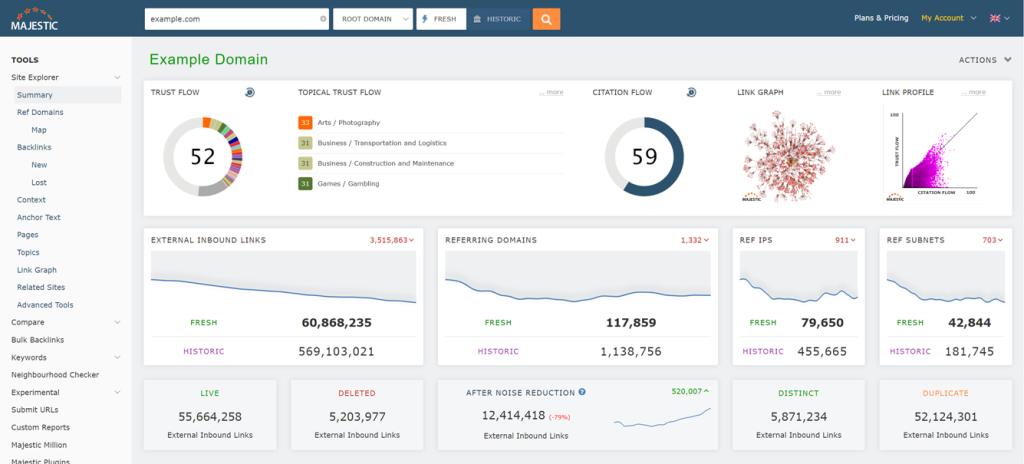
Backlink Checker Dashboard Highlights:
A backlink checker tool will show number of backlinks, referring domains, new vs lost links, link quality , and anchor text breakdown.
Use & Purpose:
These tools help you monitor your off-page SEO. how many sites link to you, how powerful those links are, and any toxic/backlinks to disavow.
Why use it:
Backlinks are a major ranking factor. Keeping an eye on your link profile helps prevent surprises (e.g., penalty risk) and reveals link opportunities.
When to use it:
Periodically to track link growth, check competitor link profiles, and maintain link health.
15. Keyword Research Tools
Keyword research tools (such as Google Keyword Planner, Ubersuggest, or Ahrefs Keyword Explorer) are the foundation of SEO. The main page usually features a search bar to input a keyword and view metrics like search volume, competition, and CPC.
Keyword research tools are essential for finding high-traffic and low-competition keywords that can drive organic growth. Without proper keyword research, even great content may fail to rank, making these tools necessary for every SEO strategy.
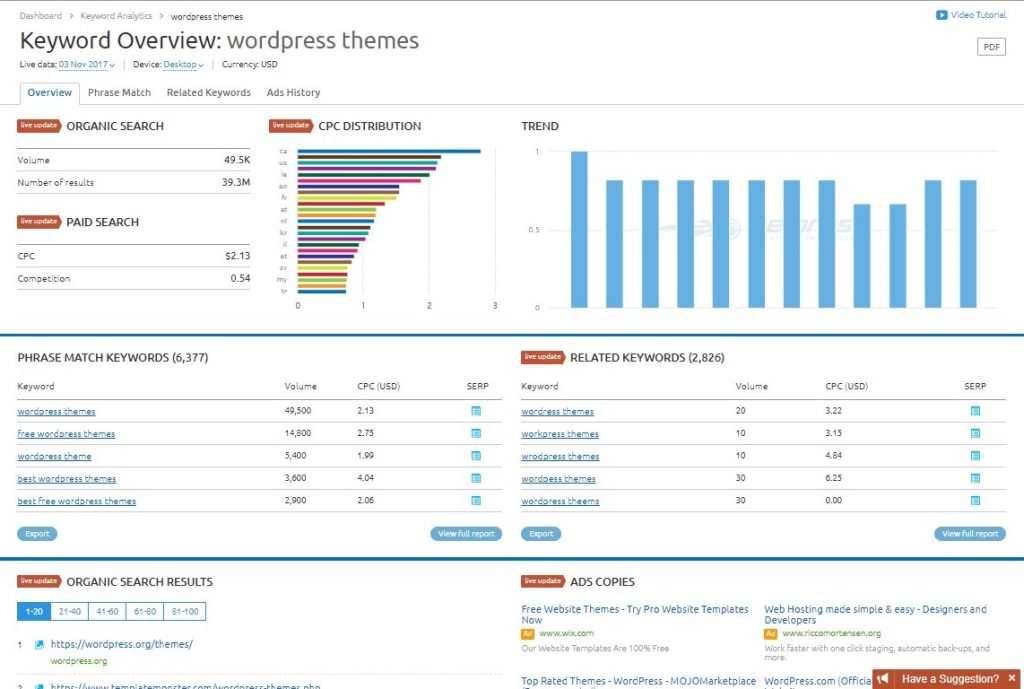
Keyword Research Tools Dashboard Highlights:
Keyword research dashboards typically display search volume, keyword difficulty/competition, CPC , trend graphs, related keywords, and SERP feature occurrence.
Use & Purpose:
These tools help you find the right keywords to target. Ones that people search for, that you have a chance to rank for, and that align with your content.
Why use it:
Without proper keyword research, difficult to write great content. It doesn’t rank because the keyword is too competitive or irrelevant. Research makes your SEO strategy data-driven.
When to use it:
During content planning, before writing blog posts or pages. Also useful when expanding content and exploring new topics or niches.
Conclusion
SEO tools make the difference between guesswork and data-driven success. Whether auditing your website with Screaming Frog, analyzing backlinks with Ahrefs, or optimizing content with Surfer SEO. Each tool serves a vital purpose. Combining them effectively ensures your website performs well in search engines. Attracts organic traffic, and stays ahead of the competition.
Beginners Tips for Learning SEO
Learning SEO takes time, but with the right approach and tools, you can progress quickly.
Here are some expert tips to learn SEO effectively:
- Practice on a real website or blog — apply what you learn daily.
- Start with free SEO tools to understand key metrics like traffic, bounce rate, and keyword rankings.
- Earn certifications from Google Digital Garage, HubSpot Academy, or Semrush Academy.
- Follow SEO experts on YouTube, LinkedIn, and X (Twitter) to stay updated on algorithm changes.
- Join SEO communities on Reddit and Facebook to ask questions and share experiences.
The more you experiment with SEO tools, the faster you’ll understand how search engines work — laying the foundation for a successful digital marketing career.