A canonical URL tells search engines which version of a blog post is the original one. It prevents duplicate content, keeps your site organized, and makes sure Google ranks the right page. By setting a canonical tag, you guide search engines to your preferred URL so your blog keeps its SEO strength in one place.
What Is a Canonical URL?
A canonical URL is the “preferred” version of a webpage that you want search engines to index. It tells search engines:
“This is the official version of this page. ”This is important when you have duplicate or similar content across multiple URLs.
You have several URLs showing the same product:
- /shirt?color=blue
- /shirt?size=medium
- shirt/blue
A canonical tag points to the URL you want Google to count as the main page:
<link rel=”canonical” href=”https://www.example.com/shirt” />
What Is a URL?
A URL (Uniform Resource Locator) is the address of a webpage. It’s what you type into a browser to visit a website. It’s one of the basic building blocks of on-page SEO. It plays a big role in user experience and how search engines understand your website.
Example:
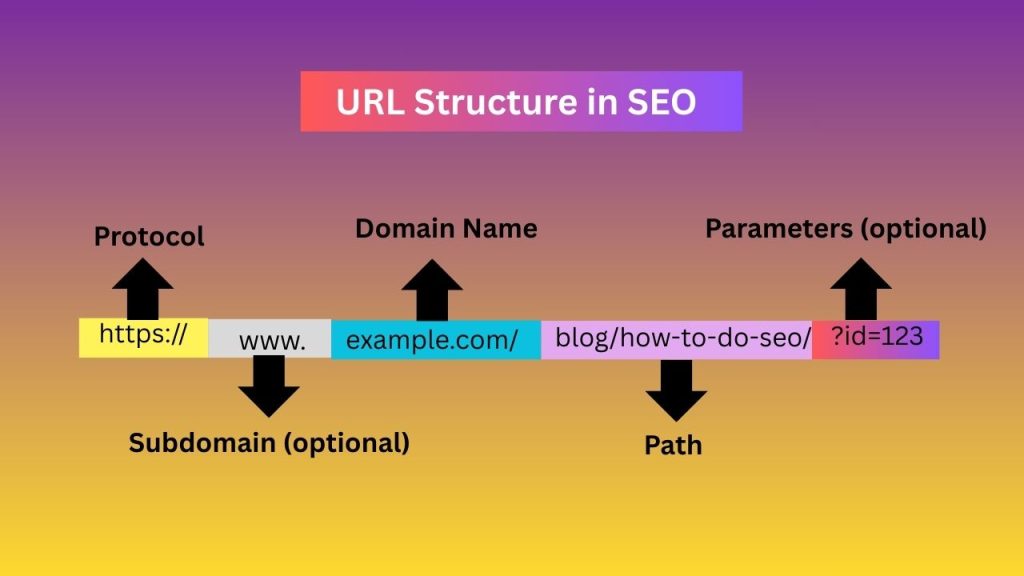
A URL tells both users and search engines where a page lives on your site
Parts of a URL
- Protocol – https://
Shows the connection type. HTTPS is secure and preferred by Google. - Domain Name – example.com
The main address of the website. - Subdomain (optional) – www.
A section of your website, such as blog.example.com. - Path – /blog/how-to-do-SEO
The location of a specific page. - Parameters (optional) – ?id=123
Often used for tracking or dynamic pages. Best to avoid SEO unless necessary.
Canonical URL vs 301 Redirect
| Feature | Canonical URL | 301 Redirect |
| Purpose | Tells Google which version of similar pages is the preferred one | Permanently moves users and search engines to a new URL |
| User Redirect? | ❌ No | ✅ Yes |
| Page Removed? | ❌ No, all versions stay live | ✅ Yes, old page becomes inactive |
| Google Signal Strength | Medium (a hint) | Strong (a directive) |
| Best For | Duplicate pages that must stay online | Pages you want to delete, replace, or merge |
| SEO Value Transfer | Partial / depends on Google | Full SEO value passed to the new URL |
| Use Case in Blogs | Tag pages, UTM links, similar versions | Merging old posts into a new updated post |
| Use Case in E-commerce | Filters (size, color), sorting URLs | Discontinued products, outdated URLs |
| Keeps Multiple URLs Active? | ✔ Yes | ❌ No |
| Prevents Duplicate Content? | ✔ Yes | ✔ Yes |
| Affects Site Navigation? | ❌ No | ✔ Yes |
| Technical Complexity | Easy to set | Moderate (requires server or CMS settings) |
| Example | Keep /shirt?color=blue, but tell Google /shirt is main | Redirect /old-blog-post → /new-blog-post |
Fixing Duplicate Content With Canonicalization
If you have 4 different URLs showing the same content, Google sees them as duplicate pages. This can hurt your SEO because:
- Google doesn’t know which URL to index
- Ranking power gets split between the duplicate URLs
- Crawl budget gets wasted
The best solution is canonicalization — choosing one URL as the “main” page.
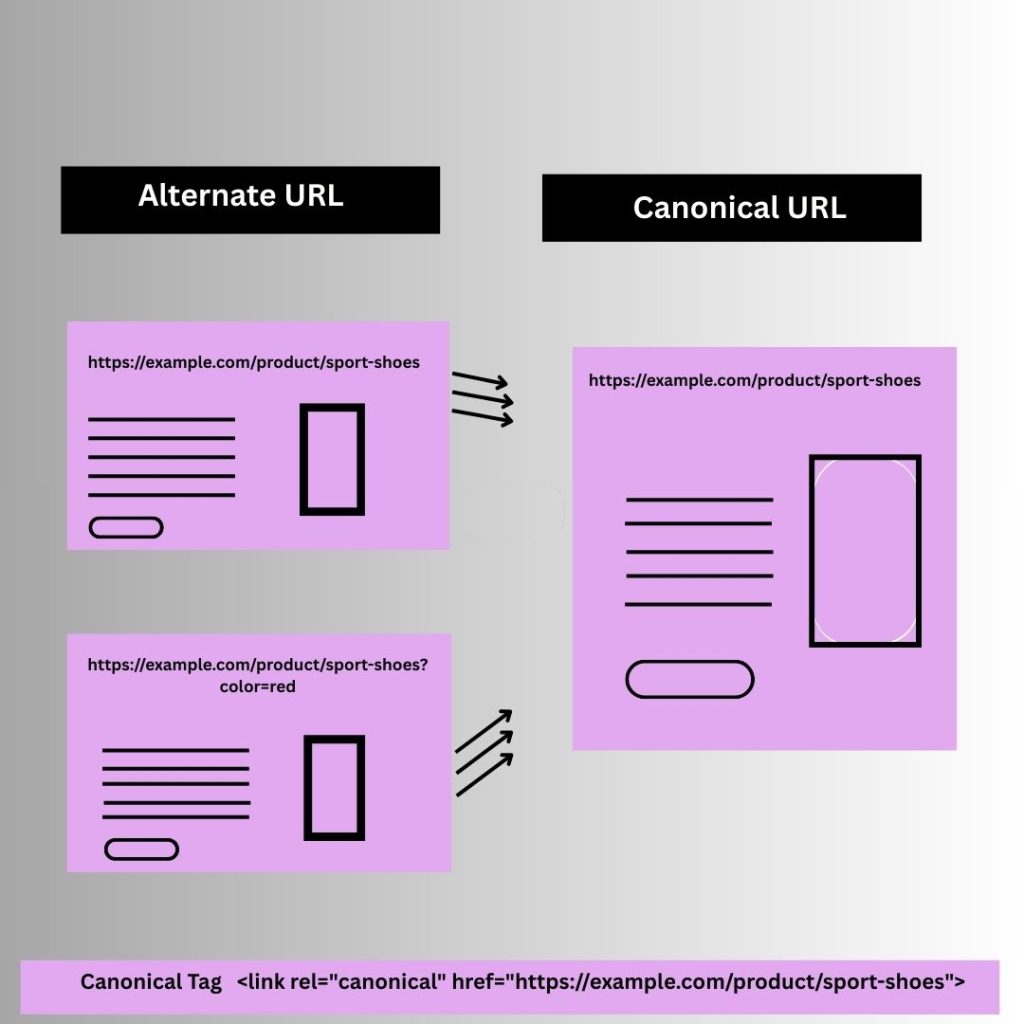
For example:
Imagine you have a product page for a pair of sports shoes.
4 Alternate URLs:
- https://example.com/product/sport-shoes
- https://example.com/product/sport-shoes?color=red
- https://example.com/product/sport-shoes?ref=homepage
- https://example.com/product/sport-shoes?size=9
If https://example.com/product/sport-shoes is the main product page, the canonical tag <link rel=”canonical” href=”https://example.com/product/sport-shoes”> should be added to all duplicate pages to indicate that this is the preferred version for indexing.
Result
- All duplicate URLs point to a single preferred page.
- Google treats the canonical URL as the primary page for ranking.
- All ranking signals (links, authority, etc.) are consolidated into the canonical page.
This is exactly how canonicalization works. Why it’s good for SEO: It prevents duplicate content issues and ensures your main page gets the full SEO benefit.
What is a self-referencing canonical?
A self-referencing canonical is when a page points to itself in its canonical tag. For example:
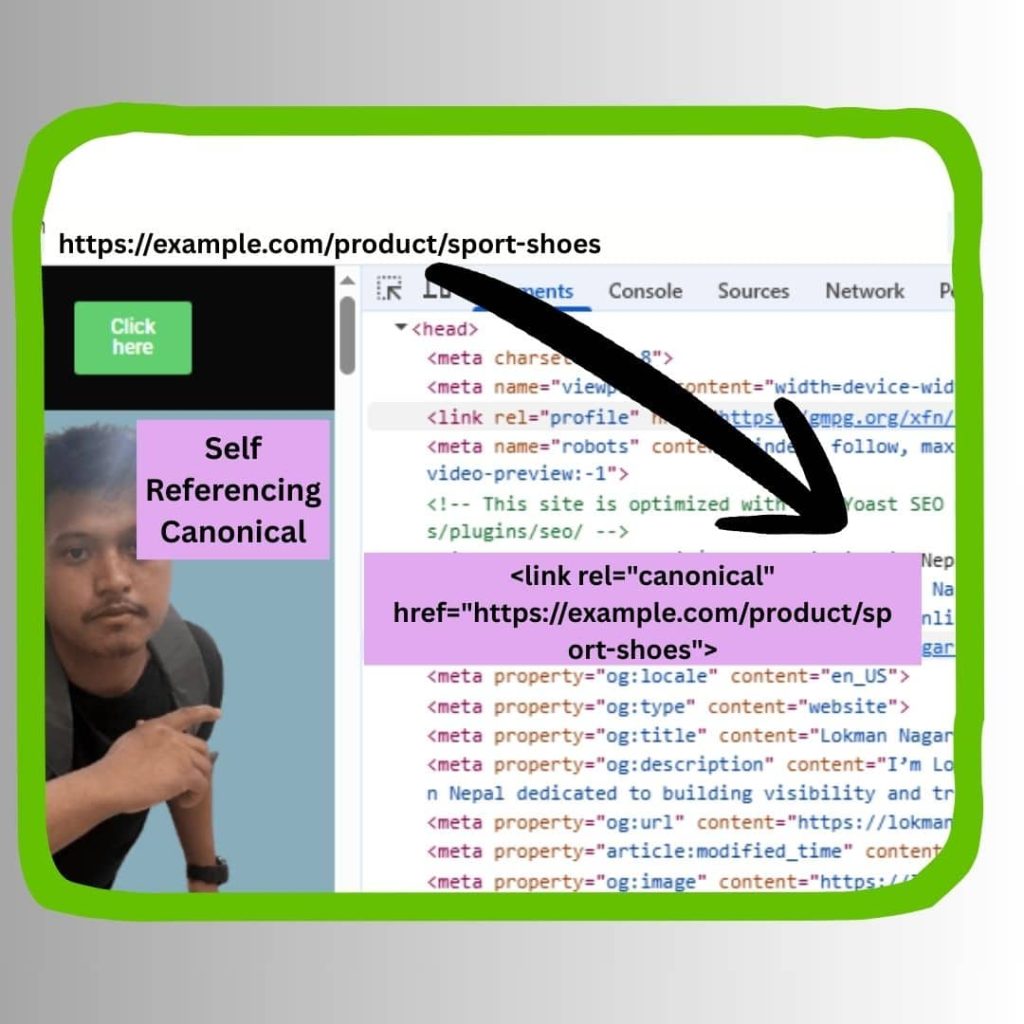
Here, the page sport-shoes is telling search engines: “This is the preferred version of this content,” even if it doesn’t have duplicates yet.
How to Optimize Canonical URLs in SEO
- Add a canonical tag to every page
- Point canonicals to the main version of the page
- Avoid self-canonical errors
- Use 301 redirects when necessary
- Keep consistent internal links
What This Canonical Tag Does
- 1. Prevents duplicate content: If Google finds duplicates or tracking parameters, it will still choose this page.
- 2. Combines ranking signals: Backlinks, engagement, and metrics from other versions will be credited to this URL.
- 3. Sends a strong signal: “It’s this page—not any variation—that should rank.”
- 4. Protects your SEO: Avoids split ranking and confusion for Google’s crawlers.